
How I Debug Production Errors in Next.js
Production errors don't come with stack traces. Here's my exact debugging workflow for Next.js — digests, logs, Sentry, and hydration bugs.
Zeeshan Zakir
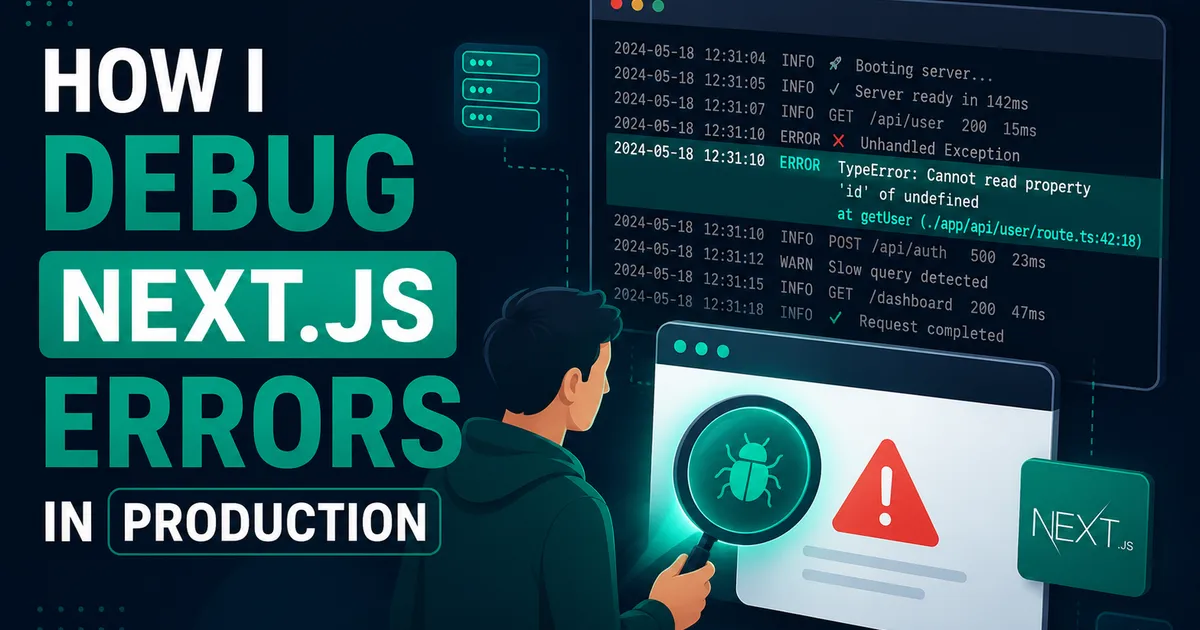
The message arrived on a Saturday morning: a screenshot from a client showing nothing but "Application error: a client-side exception has occurred." That's it. No stack trace, no line number, no hint. The site worked perfectly on my machine, obviously, because it always does.
That weekend taught me that debugging production Next.js apps is a completely different skill from debugging locally. Here's the workflow I've built since — the one that turns that useless error screen into an actual answer, usually within minutes.
Why production errors tell you nothing
Two reasons. First, your JavaScript is minified, so client-side stack traces point at line 1, column 48,201 of a file called main-8f3a.js. Second, Next.js deliberately hides server error details in production — leaking internals to visitors would be a security problem. Server Component errors show a generic message plus a digest code.
That digest is not decoration. It's your search key.
Step 1: Figure out which side broke
Client error or server error? The generic messages differ: "a client-side exception has occurred" means browser-side; a digest code means server-side. This decides where you look next — the browser console, or your server logs.
For client errors, I ask the person to open the console (or I reproduce it) — the real error is usually printed there even in production.
Step 2: The digest trick for server errors
Every server error's digest also appears in your hosting logs. On Vercel: project → Logs, paste the digest into the search box, and the full stack trace appears. This single trick would have saved me that entire Saturday. The error turned out to be a third-party API returning HTML instead of JSON during their outage — nothing in my code, but my code wasn't handling it.
Step 3: Error boundaries so users never see the ugly screen
App Router makes this almost free. An error.tsx in a route segment catches errors from that segment and shows your fallback instead of the white screen of death:
'use client';

export default function Error({ error, reset }) {
  console.error(error); // still surfaces in monitoring
  return (
    <div className="p-8 text-center">
      <h2>Something went wrong loading this section.</h2>
      <button onClick={reset}>Try again</button>
    </div>
  );
}
I keep one near the root and add more specific ones around risky areas — payment flows, third-party embeds. The reset function alone has quietly saved plenty of support messages, because half the time a retry just works.
Step 4: Fifteen minutes of Sentry setup pays forever
Logs tell you what happened when you go looking. Error tracking tells you without being told by a client. I resisted adding Sentry for a long time because it felt like enterprise ceremony. Then I set it up once — the wizard configures Next.js in about fifteen minutes, free tier included — and now I get the actual error, the browser, the user's path to it, and a readable stack trace via source maps, before the client even notices.
The pattern that changed for me: I used to learn about bugs from angry messages. Now I've usually deployed the fix before the message arrives. That's not a productivity tip, that's a reputation tip.
Step 5: Hunting hydration errors
The most Next.js-specific bug class: "Hydration failed because the initial UI does not match what was rendered on the server." I've been bitten by every classic cause:
- Dates and times. The server renders in UTC, the browser in local time. Fix: render timestamps inside a client component after mount, or format them consistently.
Math.random()or IDs generated during render. Different on every run by definition.- Invalid HTML nesting. A
<div>inside a<p>renders fine until React compares trees. - Browser extensions. This one's cruel — some extensions inject DOM before hydration. If a user reports a hydration error you cannot reproduce, ask them to try incognito. I once spent hours on a bug caused entirely by a translation extension.
My debugging move: temporarily run a production build locally (next build && next start), because dev mode's error overlay shows the exact mismatched element while production just gives you the scary red text.
Step 6: Log with context, not confetti
console.log("here") doesn't survive contact with production. When something matters, I log structured context so future-me can actually filter:
console.error('checkout_failed', {
  userId: user.id,
  step: 'payment_intent',
  message: err.message,
});
Searchable event names plus the three or four fields that identify the situation. In Vercel's log search, checkout_failed finds every instance instantly.
The boring class of bugs: environment differences
A confession: a good third of my "production-only" bugs weren't code at all. A missing environment variable, a different Node version, an API key pointing at a sandbox. Now my first check for any works-locally-breaks-in-prod mystery is a diff of environment variables between local .env and the hosting dashboard. It's the least glamorous debugging step and the one with the best hit rate.
My checklist, in order
- Client or server? (Message type tells you.)
- Server → search the digest in logs.
- Client → console, then Sentry event.
- Can't reproduce → check env vars, then production build locally, then ask about extensions.
- Fixed → add an error boundary or a log line so the next one is faster.
Production errors used to feel like accusations. With a workflow, they're just tickets. The Saturday-morning screenshot still comes occasionally — the difference is that now my reply, twenty minutes later, starts with "found it."
Need help building this?
I offer full-stack development services for startups and product teams.
If you want a faster path from idea to shipped product, I can help with architecture, frontend systems, backend APIs, and launch-ready builds.
View ServicesShare this post
Related posts
More practical reading from the blog to keep your momentum going.

How I Reduced My Next.js Website Loading Time
My site scored 52 on PageSpeed and I was embarrassed. Here's every change that took it to 94 — images, fonts, and killing client JS.
My Complete Next.js Folder Structure for Large Projects
After three painful refactors, this is the exact Next.js folder structure I now use for every large project. Copy it and save yourself the mess.

How I Built Authentication in Next.js Without NextAuth
NextAuth kept fighting me, so I built auth with Supabase and @supabase/ssr instead. Cookies, middleware, protected routes — the full setup.