
Vector Databases Explained with Supabase pgvector
I almost paid for a dedicated vector database. Turns out Postgres does it. A practical pgvector tutorial with Supabase — setup to indexes.
Zeeshan Zakir
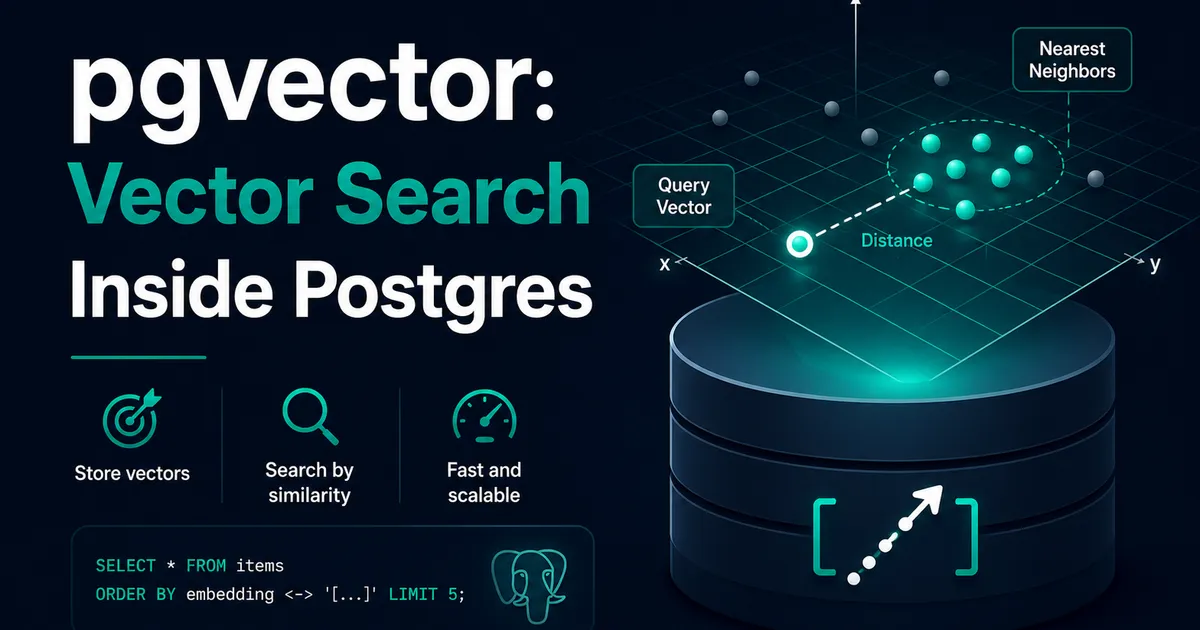
I had the pricing page open. A dedicated vector database service, another API key, another dashboard, another monthly line item — because every AI tutorial I read treated "get a vector database" as step one, the way recipes say "preheat the oven."
Then a single line in the Supabase docs stopped me: Postgres has a vector extension. The database I was already running — the one holding my users and orders — could store embeddings and search them. I closed the pricing tab, and this pgvector tutorial is everything I learned after, including the two places it genuinely gets tricky.
First: what a vector database even stores
An embedding model turns text into a vector — a long list of numbers, a point in space. The magic property: texts with similar meaning become nearby points. "Delete my account" and "remove my profile" land close together; "chocolate cake recipe" lands in a different neighborhood entirely.
A vector database does one job with these points: given a new point, find the stored points nearest to it, fast. Nearest points = most similar meaning. That single operation powers semantic search, RAG retrieval, recommendations, duplicate detection. pgvector is that job, installed inside Postgres.
Setup: genuinely two commands
On Supabase, enable the extension (Dashboard → Database → Extensions, or SQL):
create extension if not exists vector;Then a table with a vector column:
create table documents (
  id bigserial primary key,
  slug text,
  content text not null,
  embedding vector(1536)
);
The 1536 is not decoration — it's the dimension count of your embedding model's output (OpenAI's text-embedding-3-small produces 1536 numbers). This is also gotcha number one: the column dimension must match your model exactly. I once switched embedding models mid-project, and the insert errors were the polite part; the real trap is that vectors from different models are meaningless to compare even when dimensions happen to match. Change models → re-embed everything. Write that on a sticky note.
Inserting is anticlimactic — an embedding is just an array:
await supabase.from('documents').insert({
  slug: 'refund-policy',
  content: chunkText,
  embedding: embeddingArray, // number[1536] from the embeddings API
});
Searching: the distance operators
pgvector adds distance operators to SQL. Three exist; you mostly need one:
<=>cosine distance ← use this one for text embeddings<->Euclidean (L2) distance<#>negative inner product
Cosine distance measures the angle between vectors, which is the standard fit for text embeddings. Smaller distance = more similar, so similarity = 1 - distance. A query, raw:
select content, 1 - (embedding <=> '[0.011, -0.024, ...]') as similarity
from documents
order by embedding <=> '[0.011, -0.024, ...]'
limit 5;
In practice I wrap this in a function so my Next.js code calls it as an RPC:
create or replace function match_documents(
  query_embedding vector(1536),
  match_threshold float,
  match_count int
)
returns table (slug text, content text, similarity float)
language sql stable
as $$
  select d.slug, d.content,
         1 - (d.embedding <=> query_embedding) as similarity
  from documents d
  where 1 - (d.embedding <=> query_embedding) > match_threshold
  order by d.embedding <=> query_embedding
  limit match_count;
$$;
The threshold filters out "nearest, but still not actually related" — because nearest-neighbor search always returns something, even when your corpus contains nothing relevant. Without a floor, a search for "quantum physics" cheerfully returns your refund policy as the least-unrelated document. Tune the threshold against real queries; mine landed near 0.4 after a week of logging, and yours will land wherever your data says.
Indexes: the part everyone does too early
Here's the counterintuitive truth: with a few thousand rows, you don't need an index at all. A sequential scan compares your query against every row, and Postgres does that in milliseconds at small scale. My search ran index-free for months, and pretending otherwise would have been resume-driven engineering.
The index conversation starts around tens of thousands of vectors, when exact scanning gets slow. pgvector offers two:
-- HNSW: the default choice
create index on documents using hnsw (embedding vector_cosine_ops);
HNSW builds a graph for fast approximate search — excellent recall, slower to build, the right answer for most workloads. IVFFlat is the older option: faster to build, lighter, but it clusters existing data — which means creating it on an empty table (gotcha number two, and yes, I did it) trains it on nothing and quietly wrecks recall. If you use IVFFlat, create it after loading data. If you're unsure, use HNSW and move on.
Note the word approximate: indexed search trades a sliver of accuracy for speed. For semantic search over content, the trade is invisible. For the rare case where you need guaranteed-exact top results, drop the index and eat the scan.
The quiet superpower: it's still just Postgres
This is what the dedicated-service pricing page couldn't offer. My vectors live next to my relational data, which means one query can do both jobs:
select d.content, 1 - (d.embedding <=> $1) as similarity
from documents d
join posts p on p.slug = d.slug
where p.published = true          -- normal relational filter
  and p.category = 'billing'      -- another one
order by d.embedding <=> $1
limit 5;
Filtered vector search — only published docs, only one category, only rows this user may see via row level security — with zero data syncing between systems, inside transactions, covered by the same backups. Every "real" vector database eventually makes you rebuild these filters in their query language and keep two datastores in sync. I get them free because the vectors never left home.
When you'd actually outgrow it
Honesty section: at many millions of vectors with strict latency demands, heavy filtered-search at scale, or specialized needs, dedicated vector databases earn their keep — that's the workload they're built for. But most projects — a site search, a docs assistant, a RAG pipeline over your own content — live in the tens or hundreds of thousands of vectors, and pgvector handles that range without breaking a sweat.
Start with the database you have. The pricing tab will still be there if you ever genuinely need it. Mine has stayed closed.
Need help building this?
I offer full-stack development services for startups and product teams.
If you want a faster path from idea to shipped product, I can help with architecture, frontend systems, backend APIs, and launch-ready builds.
View ServicesShare this post
Related posts
More practical reading from the blog to keep your momentum going.
AI Memory Systems: Short-Term vs Long-Term Memory
Every API call meets a total stranger — LLMs remember nothing. How AI memory systems actually work: short-term, long-term, and forgetting.
How I Added AI Search to My Next.js Website
Users searched "remove account," my docs said "delete account," search returned nothing. So I added AI semantic search to my Next.js site.

AI Tool Calling Explained with Real API Examples
The AI never runs your functions — it just asks. A complete AI tool calling tutorial with real OpenAI and Claude API examples and code.