
How I Added AI Search to My Next.js Website
Users searched "remove account," my docs said "delete account," search returned nothing. So I added AI semantic search to my Next.js site.
Zeeshan Zakir
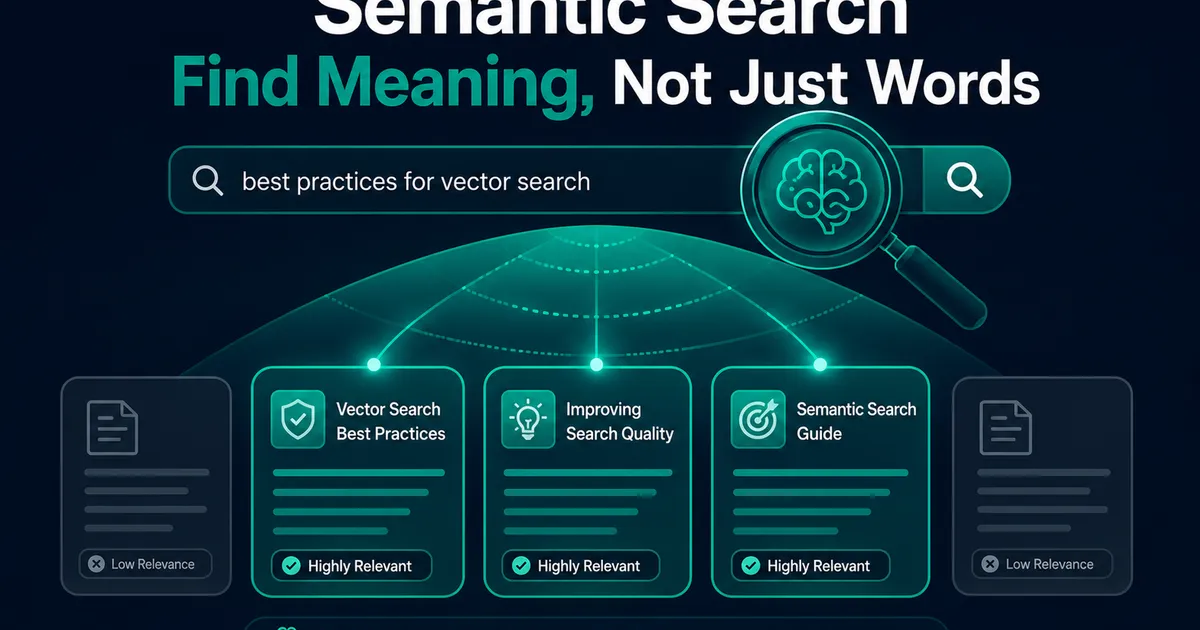
I found the problem in my search logs, of all places. I'd started recording queries that returned zero results, expecting typos. Instead I found this, over and over:
- Users searched "remove account" → my docs say "delete account" → nothing
- Users searched "payment failed" → the doc is titled "billing issues" → nothing
- Users searched "logo upload" → the feature is called "brand assets" → nothing
Every one of those questions had an answer on my site. My keyword search just demanded users guess my vocabulary first. That log turned into a weekend project: AI semantic search in Next.js — search that matches meaning instead of letters. Here's the whole build.
How semantic search works, in one paragraph
An embedding model converts text into a long list of numbers — a vector — where texts with similar meaning land near each other. "Remove account" and "delete account" become neighbors even though they share one word. So: convert all your content into vectors once, convert each search query into a vector at search time, and return the content whose vectors sit closest. That's the entire trick. No magic, just geometry.
The pipeline I built
Content (docs + blog posts)
  → split into chunks
  → OpenAI embeddings (text-embedding-3-small)
  → stored in Supabase (pgvector column)

Search query
  → embedded the same way (in a route handler)
  → nearest-neighbor match in Postgres
  → results ranked by similarity
No new infrastructure. The vectors live in the same Supabase Postgres that runs the rest of my site — I go deep on that piece in my pgvector tutorial, so here I'll stay at the Next.js layer.
Step 1: Chunk the content (the step I got wrong first)
My first version embedded each entire page as one vector. Search quality was mediocre and I almost abandoned the project. The problem: a 2,000-word page about billing mentions refunds, invoices, taxes, and cancellation — its single vector is a blurry average of all four, close to everything and near to nothing.
The fix: split content into focused chunks of roughly 300–500 tokens (I split on headings, then by paragraphs when sections run long, with a sentence of overlap so context doesn't shear at the boundary). Each chunk gets its own vector. Search quality went from "sometimes eerie, usually meh" to genuinely good with this one change. If you take a single sentence from this article, take this one: chunking quality is search quality.
Step 2: The embedding script
A script I run at build time and whenever content changes:
import OpenAI from 'openai';
import { createClient } from '@supabase/supabase-js';

const openai = new OpenAI();
const supabase = createClient(url, serviceKey); // server-side script only

for (const chunk of chunks) {
  const { data } = await openai.embeddings.create({
    model: 'text-embedding-3-small',
    input: chunk.text,
  });

  await supabase.from('documents').upsert({
    slug: chunk.slug,
    heading: chunk.heading,
    content: chunk.text,
    embedding: data[0].embedding, // 1536 numbers
  });
}
Cost check, because everyone asks: embedding my entire site — every doc and blog post — cost pennies. Not "cheap for AI" pennies; actual single-digit pennies. The embedding model is not where AI budgets die.
The operational lesson I learned two weeks in: new content must be embedded automatically or it becomes invisible to search. A doc I published and forgot to embed was unsearchable for days before a zero-result log entry ratted me out. Now the embed step runs in the publish workflow, not from my memory.
Step 3: The search route handler
Queries get embedded server-side — the OpenAI key never touches the browser:
// app/api/search/route.ts
export async function POST(req: Request) {
  const { query } = await req.json();
  if (!query?.trim()) return Response.json({ results: [] });

  const { data } = await openai.embeddings.create({
    model: 'text-embedding-3-small',
    input: query,
  });

  const { data: results } = await supabase.rpc('match_documents', {
    query_embedding: data[0].embedding,
    match_threshold: 0.4,
    match_count: 6,
  });

  return Response.json({ results });
}
match_documents is a small SQL function doing the nearest-neighbor comparison (full SQL in the pgvector article). The match_threshold took real tuning: too high and reasonable queries return nothing, too low and everything matches everything. I logged real queries with their similarity scores for a week, looked at where good matches clustered, and set the line just below. There is no universal number — there is only your data.
The frontend is a client component with a debounced input (300ms — embedding every keystroke is a small self-inflicted denial-of-service on your own wallet) rendering results with the matched heading as the link text.
Step 4: The hybrid correction
A month in, semantic search had one blind spot worth confessing: exact identifiers. A user searching for error code ERR_4102 or SKU DRL-220 wants that string, and semantically, one product code is a near-synonym of every other product code. Embeddings shrug at them.
So the route now runs a cheap exact-match query (ilike on codes and titles) alongside the vector match and pins exact hits to the top. Keyword search and semantic search aren't rivals; they cover each other's weaknesses, and the combination is about six extra lines of code.
What changed
Zero-result searches dropped to a fraction of what they were — the log that started this project is now mostly empty, which is the best code review I've ever received. Support questions that begin with "I couldn't find anything about..." became rare. And the same match_documents function got a second life a month later as the retrieval half of a RAG setup, since RAG is essentially this exact pipeline with a model reading the results instead of a human.
Total build: a weekend. Ongoing cost: pocket change. If your site search still demands users guess your vocabulary, the fix is smaller than it sounds — start with your own zero-result logs, and let them embarrass you into it like mine did.
Need help building this?
I offer full-stack development services for startups and product teams.
If you want a faster path from idea to shipped product, I can help with architecture, frontend systems, backend APIs, and launch-ready builds.
View ServicesShare this post
Related posts
More practical reading from the blog to keep your momentum going.
AI Memory Systems: Short-Term vs Long-Term Memory
Every API call meets a total stranger — LLMs remember nothing. How AI memory systems actually work: short-term, long-term, and forgetting.
Vector Databases Explained with Supabase pgvector
I almost paid for a dedicated vector database. Turns out Postgres does it. A practical pgvector tutorial with Supabase — setup to indexes.
AI Tool Calling Explained with Real API Examples
The AI never runs your functions — it just asks. A complete AI tool calling tutorial with real OpenAI and Claude API examples and code.