On this page
Table of Contents
What the error means
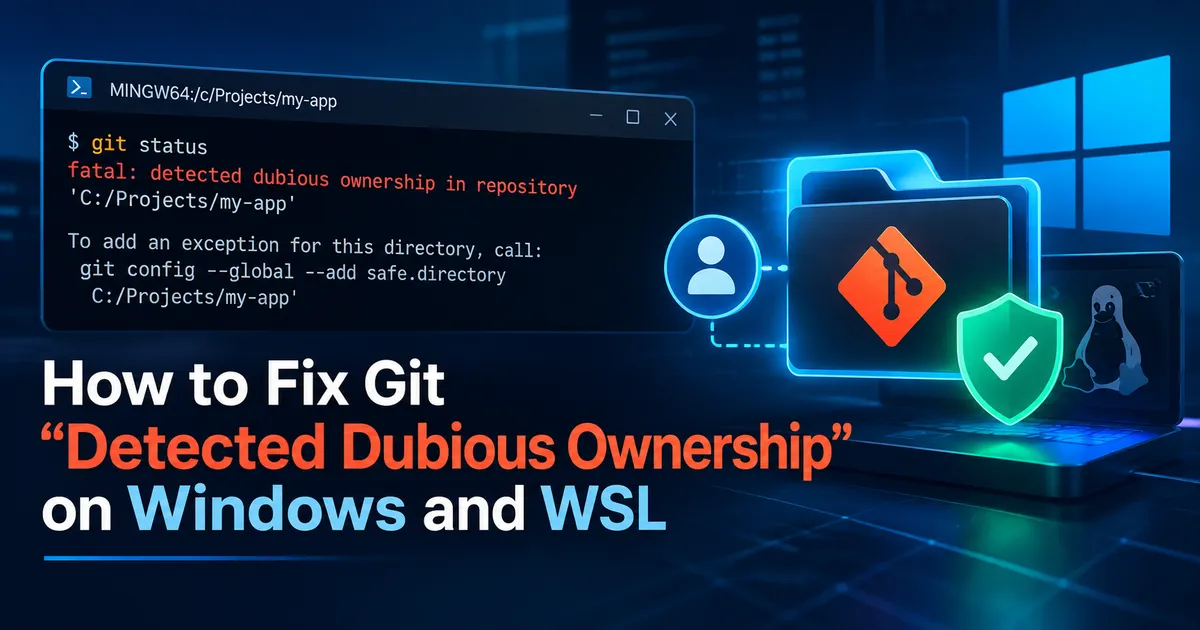
You run git status in your project and see:
fatal: detected dubious ownership in repository at 'C:/Projects/my-app'Git may suggest a safe.directory command. The message means that Git's ownership check does not recognize the repository as owned by the user executing Git. This check is a security safeguard: untrusted repository configuration can affect Git's behavior. Do not bypass the check until you know why ownership differs.
Step 1: Check which account and folder you are using
Open PowerShell in the project directory:
cd 'C:\Projects\my-app'
whoami
Get-Location
Get-Acl -LiteralPath . | Select-Object -ExpandProperty Owner
For a conventional repository with a .git directory, you can also inspect its owner:
Get-Acl -LiteralPath .git | Select-Object -ExpandProperty OwnerCompare the owner with the account from whoami. Different identities may be expected when a project was restored from a backup, copied from another Windows user, or accessed through a shared directory. A difference is a clue, not proof of malicious behavior.
Step 2: Add a narrow exception for a trusted repository
If you trust the repository and understand the ownership mismatch, add an exception for the exact repository path:
git config --global --add safe.directory "C:/Projects/my-app"The --global flag writes to the current user's configuration; the path still limits the exception to that repository. Check the configured values and their sources:
git config --show-origin --get-all safe.directoryNow retry:
git statusIf the check succeeds, Git should display the current working-tree status. The exception does not change file ownership or permissions.
Step 3: Consider fixing ownership instead
For a personal project, keeping the repository under a folder owned by your normal development account is preferable. If you copied an old repository, consider making a fresh clone from a trusted remote into a directory you own. Preserve uncommitted changes before replacing anything. For shared or company-managed repositories, consult the directory owner or administrator; do not blindly modify ACLs or recursively take ownership.
Step 4: Diagnose the same error inside WSL
WSL uses Linux paths and user identities. In the WSL distribution that runs Git:
id -un
pwd
ls -ld . .git
stat -c '%U:%G %n' . .git
For a verified, trusted repository in your Linux home directory:
git config --global --add safe.directory "/home/alex/projects/my-app"
git status
If the repository is on the Windows filesystem, WSL might see it at /mnt/c/Projects/my-app instead of C:/Projects/my-app. Use the path seen by the Git installation you're actually running. Windows Git and WSL Git generally maintain separate global configuration files.
Step 5: Troubleshoot if the error persists
Check the current folder and configuration:
Get-Location
where.exe gitgit config --show-origin --get-all safe.directoryIf using WSL, check its Git executable with command -v git. Confirm that the trusted path matches the repository Git reports—not a different copy or its parent. If a repository moved, an exception for the previous location will not help. If the error changes to not a git repository or an access-denied message, diagnose that new failure separately.
Why safe.directory "*" is risky
Avoid the common blanket workaround:
# NOT RECOMMENDED: disables this ownership protection broadly
# git config --global --add safe.directory "*"
The wildcard opts out of the ownership check for repositories within the configuration scope. Prefer an explicit trusted path. If you find an accidental wildcard in a configuration file, inspect the relevant configuration source and remove it using a deliberate, reviewed change.
FAQ
Does the error mean Git is broken?
No. Git is rejecting an ownership relationship it does not trust, not necessarily failing to execute.
Does safe.directory change the owner?
No. It adds a trust exception in protected Git configuration; it does not change filesystem ownership.
Should I run Git as Administrator?
Not as a general fix. It may produce additional permission differences. Prefer running Git with your normal development account.
Can I fix it from VS Code?
Yes. Use the integrated terminal and verify whether it is PowerShell, Git Bash, or WSL before applying the path-specific setting.
Conclusion
Inspect the repository owner and active Git environment first. If the directory is trusted, add a tightly scoped safe.directory entry and verify with git status. For long-term reliability, keep personal repositories owned by the account that works on them.
Official documentation:
Keep the conversation useful
Found a different result?
Include your framework version, the error, and the steps to reproduce it. Specific details help improve the article for the next reader.
Send a correction or question