
What Is TypeScript and Why Every Developer Is Switching to It in 2026
TypeScript went from optional to expected in just a few years. Here's a plain-English explanation of what it is, why it exists, and whether you need to learn it.
Zeeshan Zakir
Not long ago I was in a conversation with a new developer who was learning JavaScript. They had just started feeling comfortable — they could build things, they understood the core concepts, they were making progress. Then someone told them they also needed to learn TypeScript and they came to me visibly deflated.
"Is it a completely new language?" they asked.
I understood the anxiety. When you're in the middle of learning something hard, discovering there's another layer on top is genuinely discouraging. But my answer surprised them.
TypeScript is JavaScript with one additional concept bolted on. You don't throw away anything you learned. You add one idea — types — and suddenly JavaScript gains a set of superpowers it was always missing.
Let me explain what that actually means.
The Problem TypeScript Solves
JavaScript is a dynamically typed language. That means variables don't have a fixed type — the same variable can hold a string, then a number, then an object, and JavaScript will try to figure out what to do.
This flexibility is part of why JavaScript is easy to learn. But it creates a category of bugs that only appear when you run the code, often in production, often only in specific circumstances.
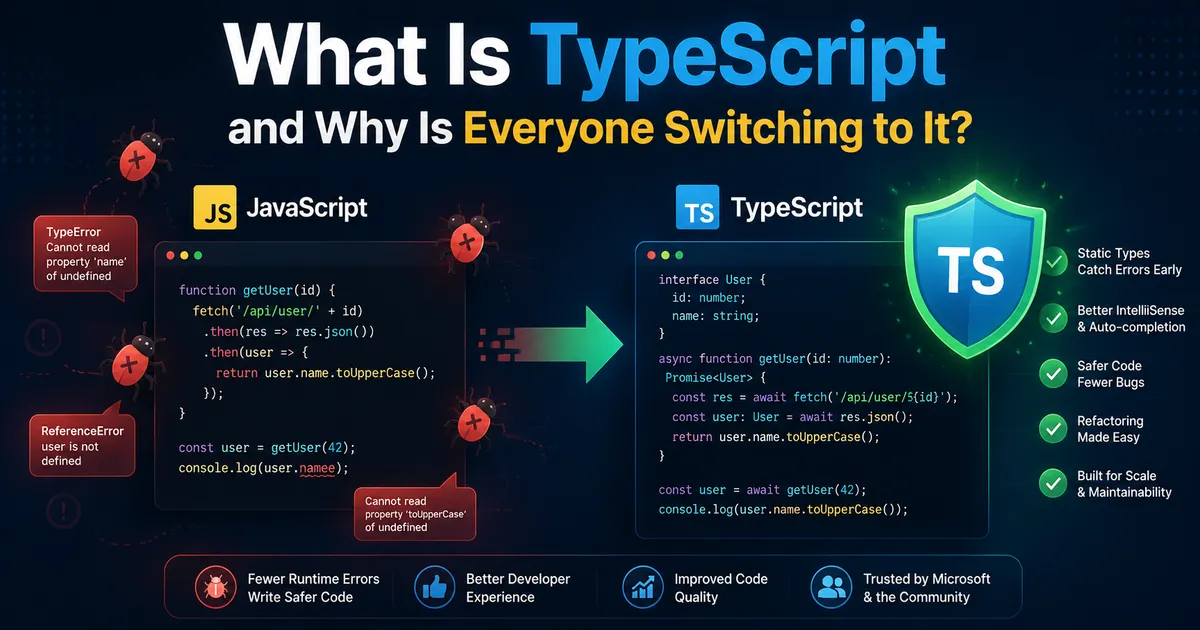
function greetUser(user) {
  return "Hello, " + user.name.toUpperCase()
}

greetUser({ name: "Zeeshan" }) // Works
greetUser({ username: "Zeeshan" }) // Runtime error: Cannot read properties of undefined
The second call passes an object with username instead of name. JavaScript doesn't warn you when you write that code. TypeScript does.
interface User {
  name: string
}

function greetUser(user: User) {
  return "Hello, " + user.name.toUpperCase()
}

greetUser({ username: "Zeeshan" })
// TypeScript error: Object literal may only specify known properties,
// and 'username' does not exist in type 'User'
TypeScript catches that bug before you run a single line of code. That's what types do. They describe what shape data is supposed to have, and TypeScript checks that your code respects those shapes.
TypeScript Is Not a New Language
This is the most important thing to understand. TypeScript files have a .ts or .tsx extension instead of .js or .jsx. But every valid JavaScript file is also a valid TypeScript file. You can rename any JavaScript file from .js to .ts and it will compile (though TypeScript will warn you about missing type information).
TypeScript compiles down to plain JavaScript. Your users' browsers never see TypeScript. They see JavaScript. TypeScript is a development tool, not a runtime change.
This means your existing JavaScript knowledge transfers completely. You're adding type annotations on top of the JavaScript you already know.
What TypeScript Looks Like in Practice
Here's a plain JavaScript function:
function calculateTotal(price, quantity, discount) {
  return (price * quantity) * (1 - discount)
}
Here's the same function in TypeScript:
function calculateTotal(
  price: number,
  quantity: number,
  discount: number
): number {
  return (price * quantity) * (1 - discount)
}
The only differences are the : number annotations after each parameter and the : number after the closing parenthesis which declares the return type. Everything else is identical.
The benefit is immediate. Now if you accidentally pass a string as the price, TypeScript tells you before you run the code.
Why the Industry Switched So Quickly
Five years ago TypeScript was used by large companies with large codebases where the investment in type safety paid off at scale. Most smaller projects defaulted to JavaScript.
What changed is that the tooling improved dramatically and the learning curve shortened considerably. The TypeScript documentation is excellent. The error messages are readable. The VS Code and Cursor integration makes the experience of working with TypeScript much better than working without it — autocomplete is more accurate, refactoring is safer, and "go to definition" actually works correctly.
Stack Overflow surveys over the past few years show TypeScript consistently among the most loved and most desired programming technologies. More importantly, it now appears in the job requirements for the majority of React and Node.js positions.
The industry didn't switch because someone mandated it. It switched because enough developers tried it on real projects, experienced fewer mysterious bugs, and didn't want to go back.
How Long Does It Take to Learn TypeScript
If you're already comfortable with JavaScript, TypeScript takes about two to four weeks of regular practice to feel comfortable with. The first week you'll be confused and relying heavily on the TypeScript documentation. The second week you'll start developing intuition for what types are needed and where. By the fourth week TypeScript will feel like JavaScript with helpful hints from your editor.
The learning process is much faster if you start with a Next.js project (which is TypeScript by default) and let the errors guide your learning. Every TypeScript error you fix is a mini-lesson in type concepts. Working through a real project beats any course or tutorial.
Should You Learn TypeScript or JavaScript First
If you're just starting to learn web development, learn JavaScript first. You need to understand the language before you understand the type system that sits on top of it. Trying to learn both simultaneously slows down learning both.
Once you have comfortable JavaScript fundamentals — variables, functions, arrays, objects, async/await, DOM manipulation — add TypeScript. The type concepts will make much more sense once you've experienced the JavaScript problems they solve.
Need help building this?
I offer full-stack development services for startups and product teams.
If you want a faster path from idea to shipped product, I can help with architecture, frontend systems, backend APIs, and launch-ready builds.
View ServicesShare this post
Related posts
More practical reading from the blog to keep your momentum going.
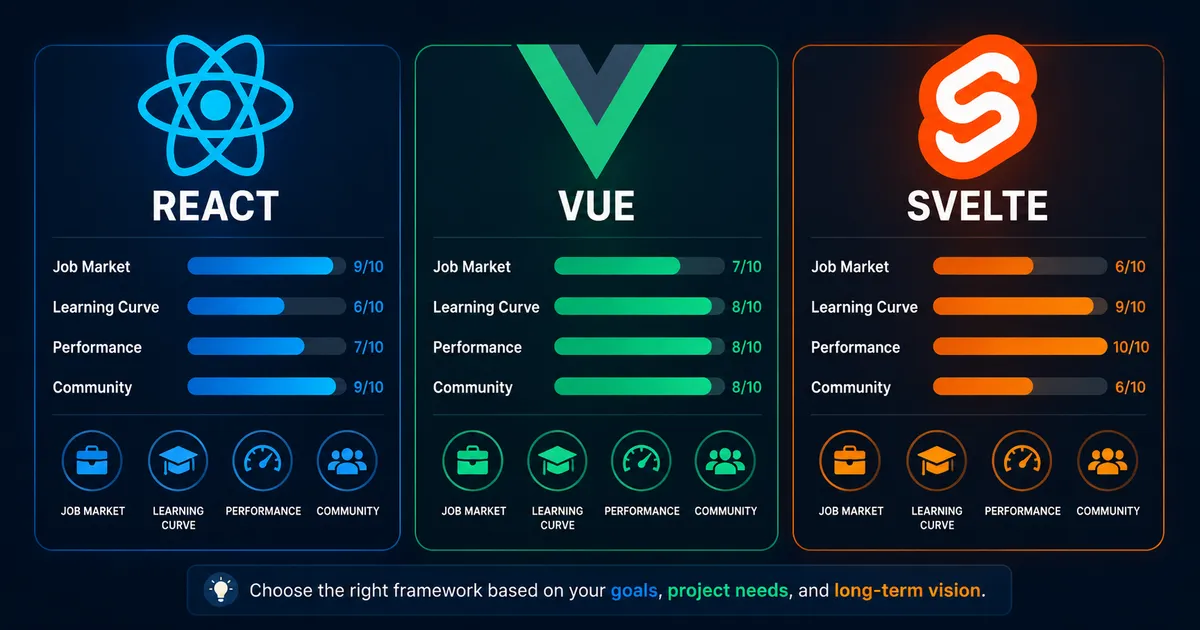
React vs Vue vs Svelte — Which JavaScript Framework Should You Learn in 2026?
I've built real projects with all three. Here's an honest comparison — not based on benchmarks, but on what it actually feels like to use them day to day.
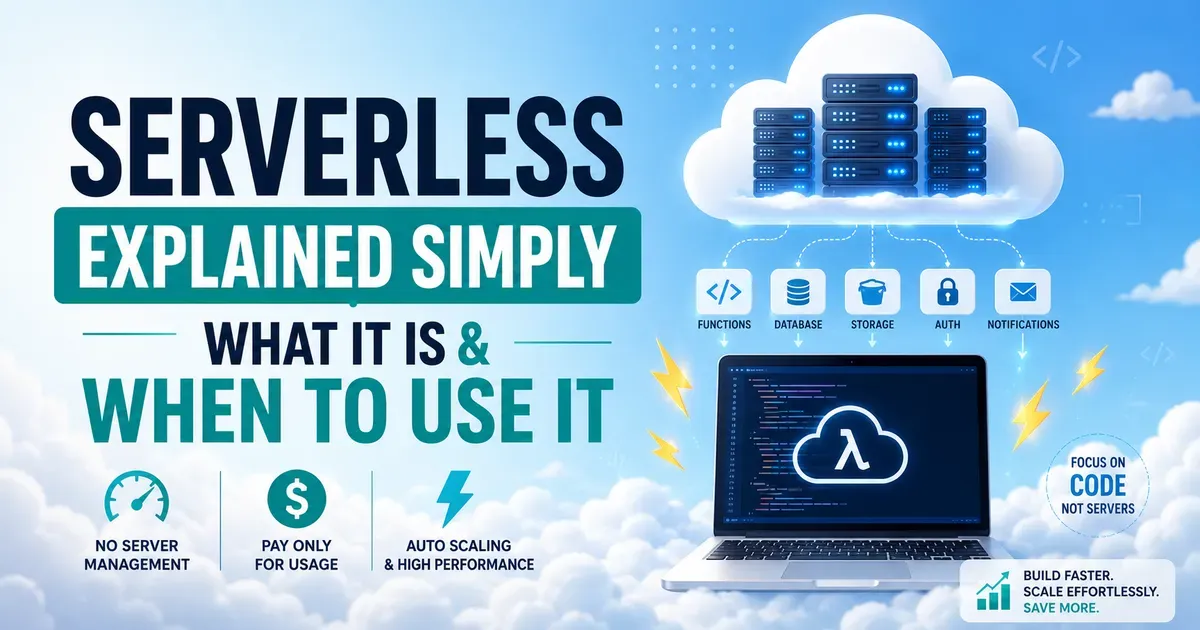
What Is Serverless Computing and Should You Actually Use It? (2026 Guide)
Serverless" has one of the worst names in tech. Here's what it actually means, why developers use it, and when it makes sense for your project.

AI Memory Systems: Short-Term vs Long-Term Memory
Every API call meets a total stranger — LLMs remember nothing. How AI memory systems actually work: short-term, long-term, and forgetting.