
10 Supabase Errors I Faced in Production (And Their Fixes)
Ten real Supabase errors from my production apps — RLS violations, JWT expiry, connection limits — with the exact fixes that worked.
Zeeshan Zakir
There's a special kind of silence that happens when your app works perfectly on localhost and then throws errors the moment real users touch it. I've shipped several Supabase projects now, and every single one taught me at least one new error message the hard way.
Here are the ten that cost me the most time, in roughly the order they hurt me, with the fix for each.
1. "new row violates row-level security policy"
The classic. You enable RLS on a table, inserts start failing, and the error tells you almost nothing about why.
The cause: Enabling RLS blocks everything by default. If you only created a SELECT policy, inserts will fail. Or your INSERT policy has a with check condition that doesn't match — the most common one being a policy that expects auth.uid() to equal a user_id column that your code never actually sets.
The fix: Create an explicit policy for every operation you need, and make sure the row you insert satisfies the with check clause:
create policy "users insert own rows"
on todos for insert
to authenticated
with check (auth.uid() = user_id);
Then in your code, actually include user_id in the insert. I've forgotten that more times than I'll admit.
2. "infinite recursion detected in policy for relation"
This one genuinely confused me the first time. Everything freezes, and the error sounds like a compiler problem.
The cause: Your policy queries the same table the policy is protecting. For example, a team_members policy that checks membership by selecting from team_members. Postgres evaluates the policy, which triggers the policy, which triggers the policy...
The fix: Move the lookup into a security definer function, which bypasses RLS for that internal check:
create or replace function is_team_member(team uuid)
returns boolean as $$
  select exists (
    select 1 from team_members
    where team_id = team and user_id = auth.uid()
  );
$$ language sql security definer;

create policy "members can view team"
on team_members for select
using (is_team_member(team_id));
3. "JWT expired"
Users stayed logged in fine during my testing, then real users started getting logged out mid-session or seeing random 401s.
The cause: Access tokens expire (default is one hour). In a Next.js app, if nothing refreshes the session, server-side requests start failing after that window.
The fix: Use the @supabase/ssr package and set up the middleware that refreshes tokens on every request. It's in the Supabase docs under server-side auth, and it's not optional for production apps — I treat that middleware file as required boilerplate now.
4. The .single() error: "JSON object requested, multiple (or no) rows returned"
The cause: .single() throws if the query returns zero rows or more than one row. It's strict by design, but "no rows" is often a completely normal situation — like checking whether a profile exists.
The fix: Use .maybeSingle() when zero rows is a valid outcome. Keep .single() only where the row must exist and its absence is a real error.
5. "remaining connection slots are reserved"
This appeared during a traffic spike, and it took the whole app down with it.
The cause: Direct Postgres connections are limited. Serverless platforms like Vercel spin up many function instances, and each one opening its own connection exhausts the pool quickly.
The fix: Use Supabase's connection pooler. In practice that means using the pooler connection string (port 6543, transaction mode) for anything running in serverless functions. If you're using the supabase-js client with the REST API, you're mostly safe — this bites people using ORMs like Prisma with a direct connection string.
6. "duplicate key value violates unique constraint"
The cause: Inserting a row that already exists — commonly a profile row created both by a database trigger and by your application code. I had exactly that: a trigger creating a profile on signup, and my signup code also inserting one. Race between the two.
The fix: Pick one owner for the insert (I keep the trigger and delete the app-side insert), or make the operation idempotent with an upsert:
await supabase.from('profiles').upsert(profile, { onConflict: 'id' });7. "Failed to fetch" right after deploying
Everything worked locally, then the deployed site couldn't talk to Supabase at all.
The cause: Nine times out of ten, environment variables. Either NEXT_PUBLIC_SUPABASE_URL / NEXT_PUBLIC_SUPABASE_ANON_KEY weren't added in the Vercel dashboard, or they were added after the build, and the app needed a redeploy to pick them up.
The fix: Add the env vars in your hosting dashboard, then trigger a fresh deployment. Client-exposed variables in Next.js are baked in at build time — updating them without rebuilding does nothing.
8. "relation "public.something" does not exist"
The cause: The table exists in your local/dev project but the migration never ran against production. Supabase projects are separate databases; nothing syncs automatically.
The fix: Adopt a migration workflow early. The Supabase CLI (supabase db push, or committed migration files applied in CI) means production schema changes are deliberate instead of "I forgot to click Run in the SQL editor on the prod project."
9. "column reference "id" is ambiguous"
The cause: A join or database function where two tables both have an id column and the query doesn't specify which one. This bit me inside a Postgres function where a parameter name also matched a column name.
The fix: Qualify everything in functions and joins: products.id, orders.id. And prefix function parameters (I use p_, like p_product_id) so they can never collide with column names.
10. Auth emails suddenly not arriving
Signups worked for weeks, then new users stopped receiving confirmation emails. No error anywhere in my code.
The cause: Supabase's built-in email service is for development and is heavily rate-limited (a small handful of emails per hour). Real signup volume blows past it silently.
The fix: Configure custom SMTP in the Supabase dashboard before launch. I use Resend, but any SMTP provider works. This is one of those settings that should be on every pre-launch checklist and never is.
The pattern behind all ten
Looking back, almost every one of these comes down to the same thing: the gap between a friendly local setup and the stricter reality of production — RLS actually enforced, tokens actually expiring, connection limits actually hit, email limits actually reached.
My honest advice: enable RLS from day one, set up the auth middleware before you build features, and do at least one deploy to production in week one. Errors are much cheaper when there are no users around to see them.
Need help building this?
I offer full-stack development services for startups and product teams.
If you want a faster path from idea to shipped product, I can help with architecture, frontend systems, backend APIs, and launch-ready builds.
View ServicesShare this post
Related posts
More practical reading from the blog to keep your momentum going.
Supabase Row Level Security Explained with Real Examples (Copy These Policies)
Row Level Security finally clicked for me after one scary near-miss. Real policies you can copy — todos, blogs, teams, and admin roles.
How I Sync Supabase Data with Google Sheets Automatically
My client didn't want a dashboard, he wanted Google Sheets. Here's the free setup I use to sync Supabase data to Sheets automatically.
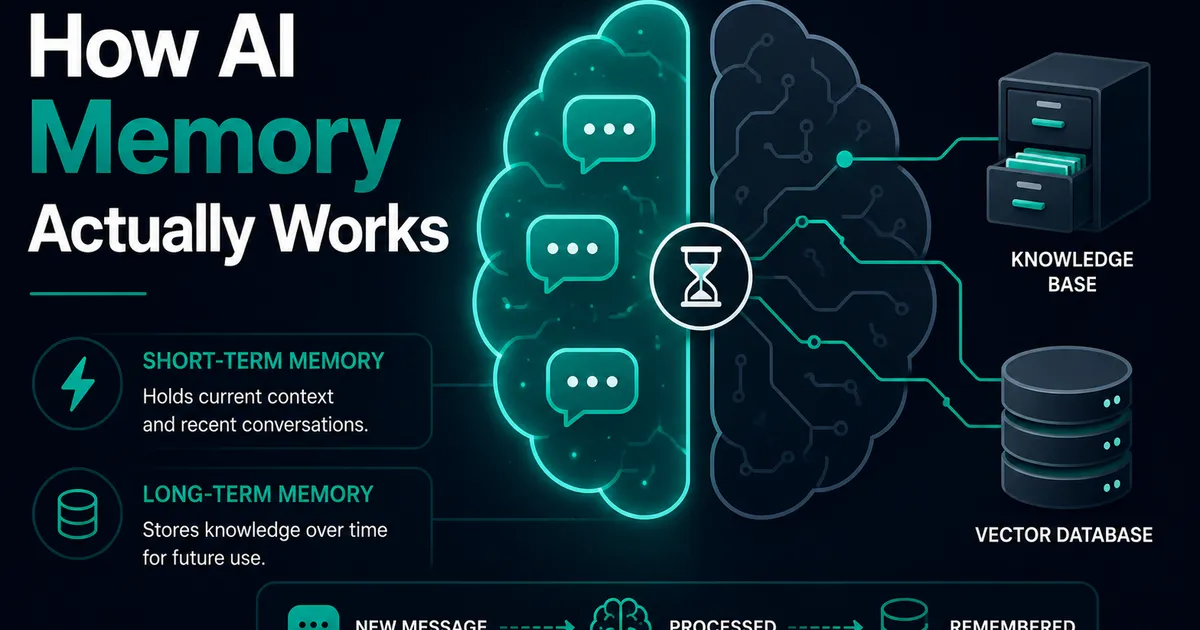
AI Memory Systems: Short-Term vs Long-Term Memory
Every API call meets a total stranger — LLMs remember nothing. How AI memory systems actually work: short-term, long-term, and forgetting.